TL;DR: Every RAG example you will read about, from Perplexity's web answers to a Zendesk support bot, runs the same five steps. The only design decision that changes between them is how you retrieve. Start with hybrid retrieval (keyword plus vector, merged with reciprocal rank fusion), which fits in one Postgres query, and add an agent loop only when a question needs more than one lookup.
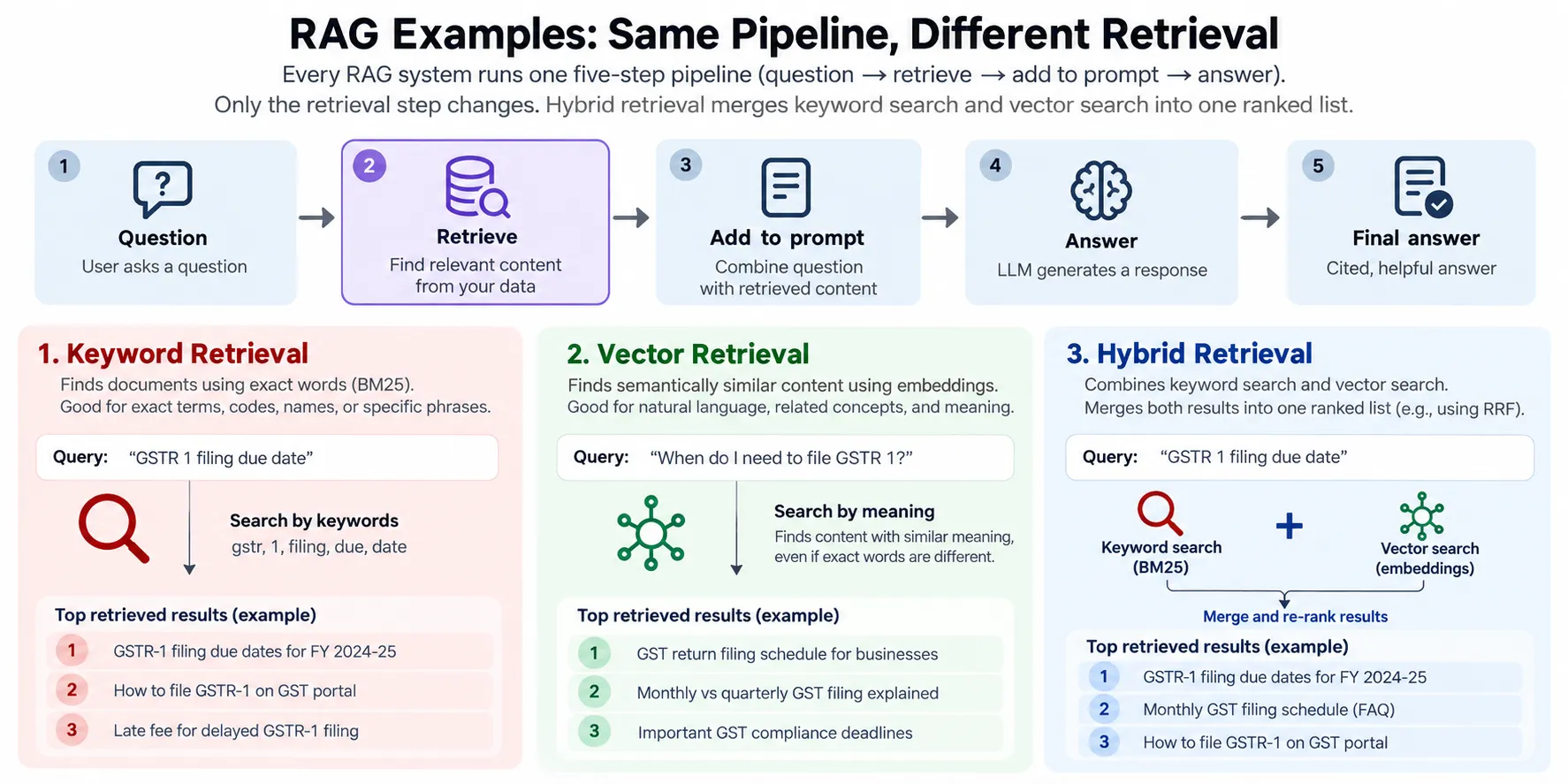
Most lists of RAG examples are lists of products, and they hide the useful part. Perplexity's 9 RAG examples covers web search, customer support, personal assistants, coding tools and data analysis. Read them side by side and they collapse into one pipeline with a different retrieval step bolted on.
That is good news if you are building one. You do not need to pick an "architecture type" from a list of seven. You need to know what your data looks like and how people will ask about it.
What is RAG, with a simple example?
Retrieval-augmented generation (RAG) means fetching relevant text from your own data and putting it in the model's prompt before it answers, so the answer rests on that text instead of on whatever the model memorised in training. The term comes from a 2020 paper by Lewis et al. at Facebook AI Research, UCL and NYU.
A support bot answering "how do I rotate my API key?" is the plain case:
- The user asks the question.
- The app decides it needs to look something up.
- It searches the help-centre articles for passages about API keys.
- It pastes the top few passages into the prompt.
- The model writes an answer from those passages and cites them.
Steps 1, 4 and 5 barely change from one product to the next. Steps 2 and 3 are the whole design.
Real-world RAG examples, mapped to retrieval
Put the well-known examples in a grid and the pattern is plain: the source and the retrieval method change, the rest does not. These are the use cases from Perplexity's list, reduced to what each one retrieves and how.
| Use case | What it retrieves | Retrieval that fits |
|---|---|---|
| Web search answers | Live pages from a web index | Keyword plus semantic, then re-rank |
| Customer support bot | Help-centre articles, past tickets | Hybrid, with a hand-off to a human |
| Internal knowledge search | Policies, docs, wiki pages | Vector index kept in sync, filtered by permissions |
| Coding assistant | Files in the repo | Exact-name search first, several passes |
| Data analysis | Rows from a database | A SQL query, not a vector search |
The last row is the one people miss. "Why did sales fall last quarter?" is answered by running a query against a sales table, and the "retrieval" is a tool call that returns numbers. Embedding a spreadsheet and doing similarity search over it gets you rows that look like the question, which is not the same as rows that answer it.
Why hybrid retrieval beats vectors alone
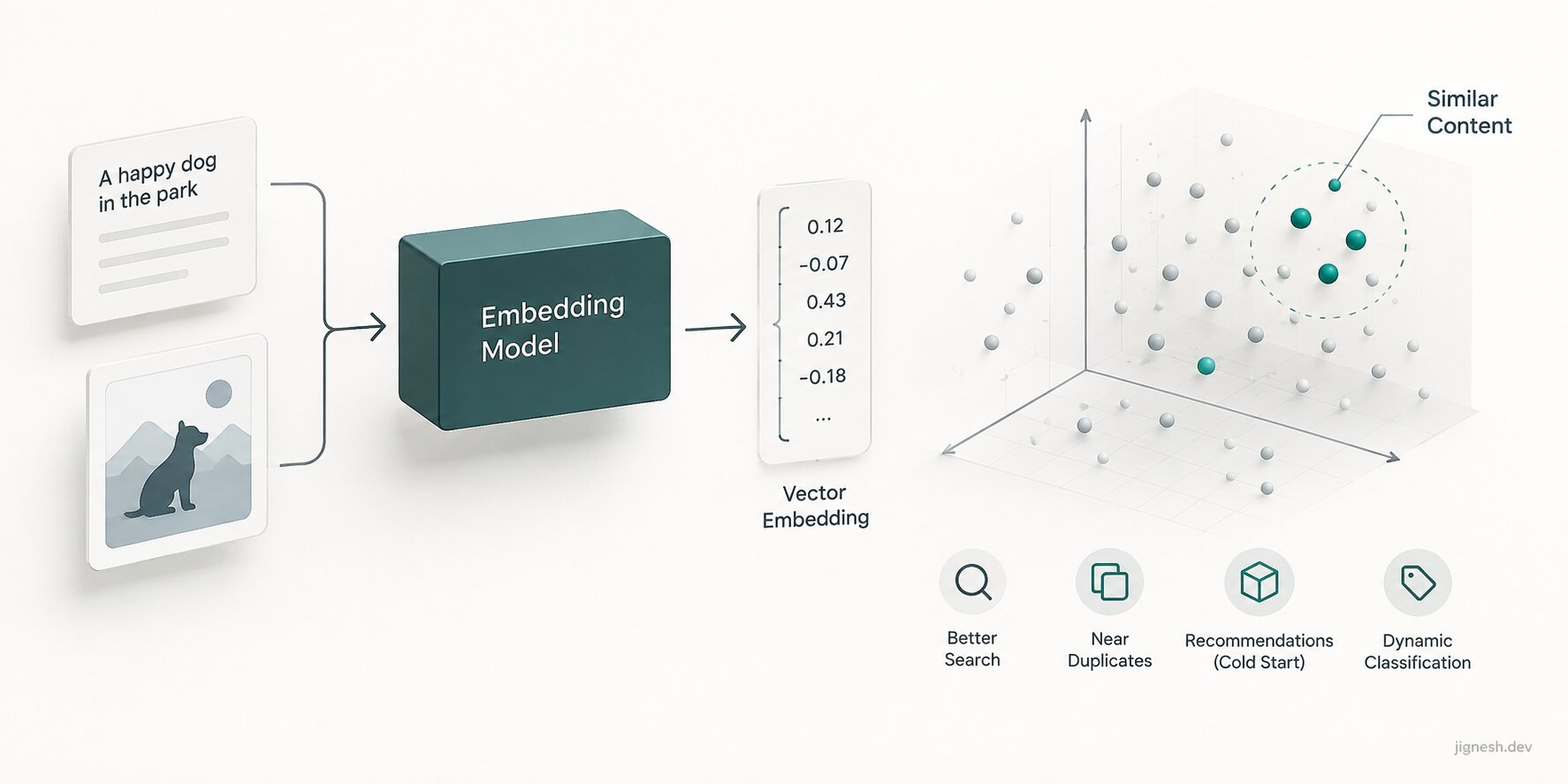
Vector search finds passages that mean the same thing as the question; keyword search finds passages that contain the same words, and real questions need both. An embedding (a list of numbers that places a piece of text so that similar meanings sit close together) is good at paraphrase. Ask "how do I cancel" and it finds the article titled "Ending your subscription". I wrote more on where embeddings help and where they do not.
It is weak on exact tokens. An error code like ERR_CERT_DATE_INVALID, a SKU, a function name or a ticket number carries almost no meaning for the embedding model, so the nearest vectors are often near for the wrong reason. Keyword search gets those right every time.
Users paste error messages and product codes into support bots far more than they paraphrase them. Those are the queries a vector-only pipeline gets wrong.
Hybrid retrieval runs both searches and merges the two ranked lists. The simplest merge that works is reciprocal rank fusion (RRF): each result scores 1 / (k + rank) in every list it appears in, and the scores are summed. It uses only rank positions, so you never have to make a cosine distance and a text-search score comparable. k = 60 is the value from the original RRF paper and the usual default.
A hybrid RAG example in Postgres
You can run the whole retrieval step in Postgres with pgvector and the built-in full-text search, which pgvector's README recommends for hybrid search. One table holds each chunk (a passage of a few hundred words cut from a source document) with both its embedding and its text-search vector:
CREATE EXTENSION IF NOT EXISTS vector;

CREATE TABLE chunks (
    id        bigserial PRIMARY KEY,
    doc_id    bigint NOT NULL,
    content   text NOT NULL,
    embedding vector(1536) NOT NULL,
    tsv       tsvector GENERATED ALWAYS AS (to_tsvector('english', content)) STORED
);

CREATE INDEX ON chunks USING hnsw (embedding vector_cosine_ops);
CREATE INDEX ON chunks USING gin (tsv);
The 1536 must match your embedding model's output size, so check it against the model you use. The query runs each search, ranks the top 20 from each, and fuses them:
WITH semantic AS (
    SELECT id, RANK() OVER (ORDER BY embedding <=> $1) AS rank
    FROM chunks
    ORDER BY embedding <=> $1
    LIMIT 20
),
keyword AS (
    SELECT id, RANK() OVER (ORDER BY ts_rank_cd(tsv, query) DESC) AS rank
    FROM chunks, websearch_to_tsquery('english', $2) AS query
    WHERE tsv @@ query
    ORDER BY ts_rank_cd(tsv, query) DESC
    LIMIT 20
)
SELECT c.id, c.doc_id, c.content,
       COALESCE(1.0 / (60 + s.rank), 0) + COALESCE(1.0 / (60 + k.rank), 0) AS score
FROM semantic s
FULL OUTER JOIN keyword k ON s.id = k.id
JOIN chunks c ON c.id = COALESCE(s.id, k.id)
ORDER BY score DESC
LIMIT 5;
$1 is the question's embedding and $2 is the raw question text. The FULL OUTER JOIN matters: a chunk that only keyword search found still makes the cut, which is the error-code case from the last section.
The generation side is short. Number the passages, tell the model to cite them, and give it permission to say it does not know:
export async function answer(question: string) {
    const vector = await embed(question);
    const chunks = await hybridSearch(vector, question);

    if (chunks.length === 0) {
        return { text: "I couldn't find that in the docs.", sources: [] };
    }

    const context = chunks.map((c, i) => `[${i + 1}] ${c.content}`).join('\n\n');
    const text = await generate({
        system: 'Answer only from the numbered sources and cite them as [n]. If they do not contain the answer, say so.',
        prompt: `${context}\n\nQuestion: ${question}`,
    });

    return { text, sources: chunks.map((c) => c.doc_id) };
}
The empty-result branch is the cheapest hallucination fix there is. If retrieval found nothing, do not ask the model at all.
When agentic RAG is worth the cost
Use agentic RAG (where the model chooses which source to search, and may search again based on what it found) only when the first lookup decides what the second one should be. "Which of my open invoices are from customers who emailed support this week?" needs the inbox, then the billing system, filtered by the first result. A fixed pipeline cannot plan that.
Everything else pays the agent's costs for nothing. Each decision is another model call, so latency grows with every step, and a wrong answer now has a chain of tool calls behind it to read through instead of one query. A personal assistant spanning email, calendar and files earns that. A help-centre bot with one source of truth does not.
My rule: if you can write the retrieval as one function before you see the question, write the function.
Does a long context window replace RAG?
No, because retrieval is also where you decide what a user is allowed to see, and what is current. Fitting a whole wiki in a large context window works in a demo. In production, every question would pay to process every document, and the model would read pages the asking user has no access to.
Retrieval gives you a WHERE clause. Add AND doc_id IN (…the user's permitted docs…) to both searches above and the model can only cite what that user may read. An internal knowledge tool without that filter will eventually quote an HR document to the wrong person.
FAQ
What is the simplest RAG example to build first?
A question-answering bot over one set of documents, such as a help centre or an internal wiki. Chunk the documents, store embeddings and text in one Postgres table, run the hybrid query above, and pass the top five chunks to the model with an instruction to cite them.
Is hybrid search always better than vector search for RAG?
Not always. On a corpus of long, plain-language prose where users paraphrase rather than paste codes or names, vector search alone can be enough. Hybrid costs one extra index and a few lines of SQL, so it is the safer default until your own queries show the keyword half adds nothing.
Start with the five-step pipeline and the hybrid query. Change the retrieval step when your data demands it (a SQL tool for numbers, an agent for chained lookups), and leave the rest alone.